After Fuel Discount Ends: These 5 Apps Show You the Cheapest Gas Prices Nearby | t3n
The fuel discount has come to an end. Prices for gasoline and diesel are rising again everywhere. If you still want to refuel cheaply, take a look at fuel apps. Which iOS and Android applications are really worth it.
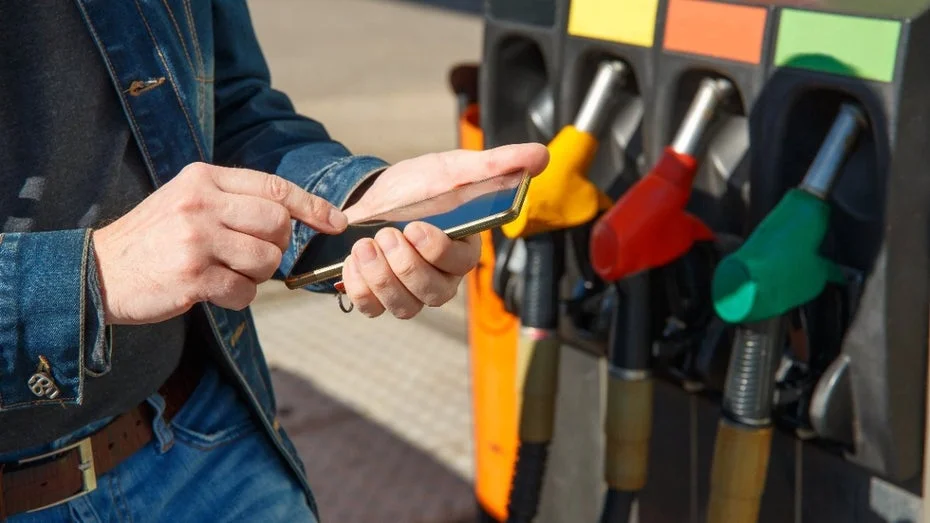
With the fuel discount, drivers across Germany were supposed to be relieved. However, even before the end of the discount, prices for gasoline and diesel at gas stations began to rise again. Not only for this reason are there voices calling the fuel discount a costly mistake by the federal government. For drivers, the only option left is to bite the bullet and pay more at the pump.
There are still some small savings potentials. Just like before the fuel discount, it pays off to compare different gas stations. While you won't find a difference of 17 cents per liter, you might save one or two cents per liter. If you do this frequently with a fuel app, you can save in the long run. But which apps are really worth it?
Table of Contents
The selection is easier than with many other apps. There are only a few applications available online for iOS and Android that are approved by the Federal Cartel Office as fuel apps. We show you the best applications from the list and what they have to offer.
ADAC Drive
ADAC Drive offers more features for logged-in users and members.
The ADAC provides a range of apps for drivers, including one for driving license preparation and another for roadside assistance. ADAC Drive, on the other hand, is aimed at those who want to plan their route and refuel more cheaply in everyday life. After downloading the app, you can share your navigation data and location. The former improves route finding, while the GPS location helps find gas stations and other destinations nearby.
If you are an ADAC member, you can use the associated login in the app. However, the application for iOS and Android is also completely free for everyone else. Upon starting, ADAC Drive immediately shows you your surroundings and the first gas station nearby. Tapping on the “Refuel” tab provides an overview of all gas stations in the vicinity. These can be sorted by price or distance from you. ADAC Drive searches within a radius of ten kilometers around your location.
In addition to the type of fuel, you can also specify providers where you do not want to refuel. These will then be hidden. Tapping on a gas station gives you more detailed information such as opening hours. However, price history and fuel price forecasts are only available if you log in to the app. This is possible even without ADAC membership.
Clever Tanken
Clever Tanken initially shows you a list of all gas stations nearby after starting the app, provided you have shared your location. Alternatively, you can enter a postal code to see prices in the area. Through the settings, you can specify the type of fuel, search radius, and even the maximum number of results.
The second tab offers a map view, where you can access detailed views of individual gas stations just like in the list. Here, you first see the opening hours and then an overview of prices for all types of fuel. Normally, users only need one price, and the additional prices can make the display a bit cluttered.
At least Clever Tanken also offers a price development of the past 24 hours and a price forecast without registration. Also practical: At the bottom of the detail view, services of the individual gas stations are displayed, such as ATMs, restaurants, toilets, and shops. If you want to use Clever Tanken ad-free, you have to pay 3.99 euros per year for the iOS or Android app.
Mehr Tanken
Mehr Tanken displays quite large advertisements.
Mehr Tanken (for iOS and Android) sources its data from several sources. Some fuel prices come directly from the market transparency office, others from the gas stations themselves. Others are researched by Mehr Tanken or reported by the community. This provides the app with a comprehensive database. After installation, you select the type of fuel your car needs and must enable GPS to use your location in the app.
Mehr Tanken offers a split overview with a map and a list of all gas stations. A special feature: the mascot Flizzi gives a recommendation at the top of the list on whether you should refuel now or wait. The app uses price forecasts, which can also be accessed in the detail view of each gas station.
Compared to other apps, Mehr Tanken relies a bit more on ad placements. While other applications like Clever Tanken often display smaller banners, Mehr Tanken displays larger ads that can take up a third of the smartphone screen. If you no longer want the ads, you have to pay 4.99 euros for a year.
Driverslog Pro 2
Driverslog Pro 2 is not just suitable as a fuel app.
Driverslog for iOS and Android is not a classic fuel app like the other applications on our list. Instead, it is a trip tracker, as used by truck drivers, among others. After installation, you must grant Driverslog Pro 2 permission for GPS. After that, you land on a screen with a demo vehicle. You can create additional vehicles through a list, allowing you to quickly switch between them to track kilometers and record trips to your destination. This can also be useful for anyone driving a company vehicle and wanting to keep track of costs privately.
Through the “Expenses” tab, you can precisely record workshop visits, parking costs, car washes, or refueling actions. To see prices nearby, you need to access the “Tools” tab and activate the fuel price query. The app then shows you a list of all gas stations nearby. The detail view is somewhat sparse in comparison. Only the current prices and opening hours are listed there.
Benzinpreis.de
Benzinpreis.de offers clear menus without much frills.
As with all other fuel apps, you can also allow Benzinpreis.de (for iOS and Android) access to your location to query prices nearby. However, you can also manually set multiple locations directly in the app and quickly switch between them to compare prices. This is worthwhile for those who frequently commute between the same places.
Also practical is that Benzinpreis.de displays the average price delta for individual gas stations, as well as for fuel prices across Germany. This way, you can see at a glance, based on red or green marked numbers, whether it is currently more expensive or cheaper than usual. In the settings, you can also set a preferred map service to navigate to the desired gas station. Compared to other apps, Benzinpreis.de is somewhat sparser, but thus also more clearly designed.