I Wanted to Install Linux on My Macbook – and Needed Windows for That
Recently, we retired an old Macbook Pro because it no longer receives MacOS updates. I wanted to install Linux on it, but I needed Windows to do so. Here's my experience with the process.
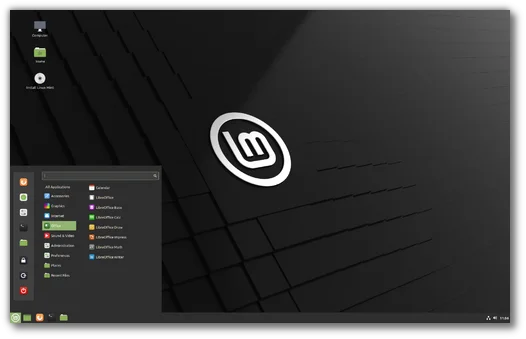
Recently, we retired an old Macbook Pro in the editorial office because it no longer receives MacOS updates. However, the hardware still works perfectly. Therefore, I wanted to install Linux on it and continue using it privately. I'm not a big computer tinkerer, but the Macbook still has an Intel processor – so I thought a Linux installation shouldn't be too difficult.
Decision for Linux Mint
I chose Linux Mint because I like it to be slim and straightforward. But first, I need to install another program: Balena Etcher. Its sole purpose is to "flash" installation files onto a bootable USB stick.
The tool has a friendly, tidy interface. Unfortunately, it doesn't work – at least not with the Mint versions I tried. Whether I download the installation files myself or let Etcher pull them directly from the web: I keep getting the error message "(0, h.requestMetadata) is not a function" – whatever that is supposed to mean.
Flashing is the Bottleneck
A colleague from Heise tells me that this error occurs frequently: "People report that compatibility modes and/or administrator rights help, as well as the opposite." (At least it wasn't because I was doing something wrong.) He recommends that I use the tool Rufus instead. And here it gets quite absurd because Rufus only runs on Windows. In other words: I need a Windows computer to install Linux on a Macbook.
With Rufus, the installation actually works. There are other tools, but they all seem to bring their own problems. Moreover, the tutorials unanimously refer to Balena Etcher. Anyone who can't ask competent colleagues has to dig pretty deep into the topic.
200 Million Euros for Microsoft Licenses
Many distributions are aimed at people who just want a functioning computer without much fuss. Linux is fundamentally excellent for this – if only one can get it installed in the first place. But flashing seems to be a bottleneck that no one wants to address.
There is also a societal task behind this that should not be offloaded onto a few companies and a group of idealists: Open-source programs like Linux reduce electronic waste, decrease dependencies on American corporations, and save (tax) money. The federal government alone paid nearly 200 million euros for Microsoft licenses in 2023.
Schleswig-Holstein Shows How It Could Work
Just a fraction of all the licensing fees would help eliminate such bottlenecks in the Linux ecosystem. The state does not need to become a developer itself – it would already help to work better with the existing communities.
How this could work is shown by Schleswig-Holstein. It is the only federal state working on switching to Linux. Among other things, it has commissioned a project to improve the accessibility of LibreOffice. This also benefits citizens outside of Schleswig-Holstein and outside of governmental applications. Every euro spent on this is well invested.
This article was originally published on March 25, 2025, but it still interests many of our readers. Therefore, we have made it available here again.